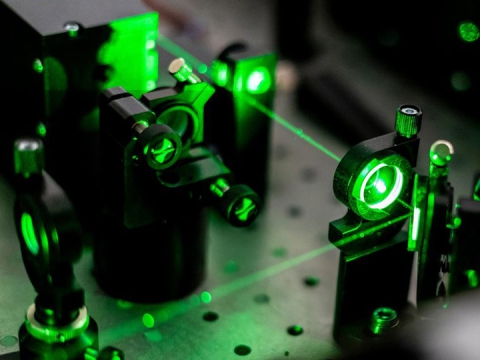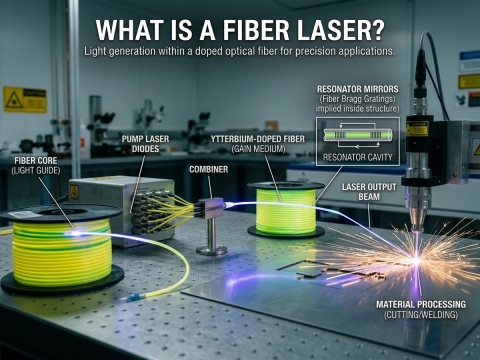
The same plywood sheet behaves 3 different ways under a diode module, a CO2 tube, and a fiber source. This guide gives conservative starting values for all three, then shows a repeatable method for dialing in any new material.
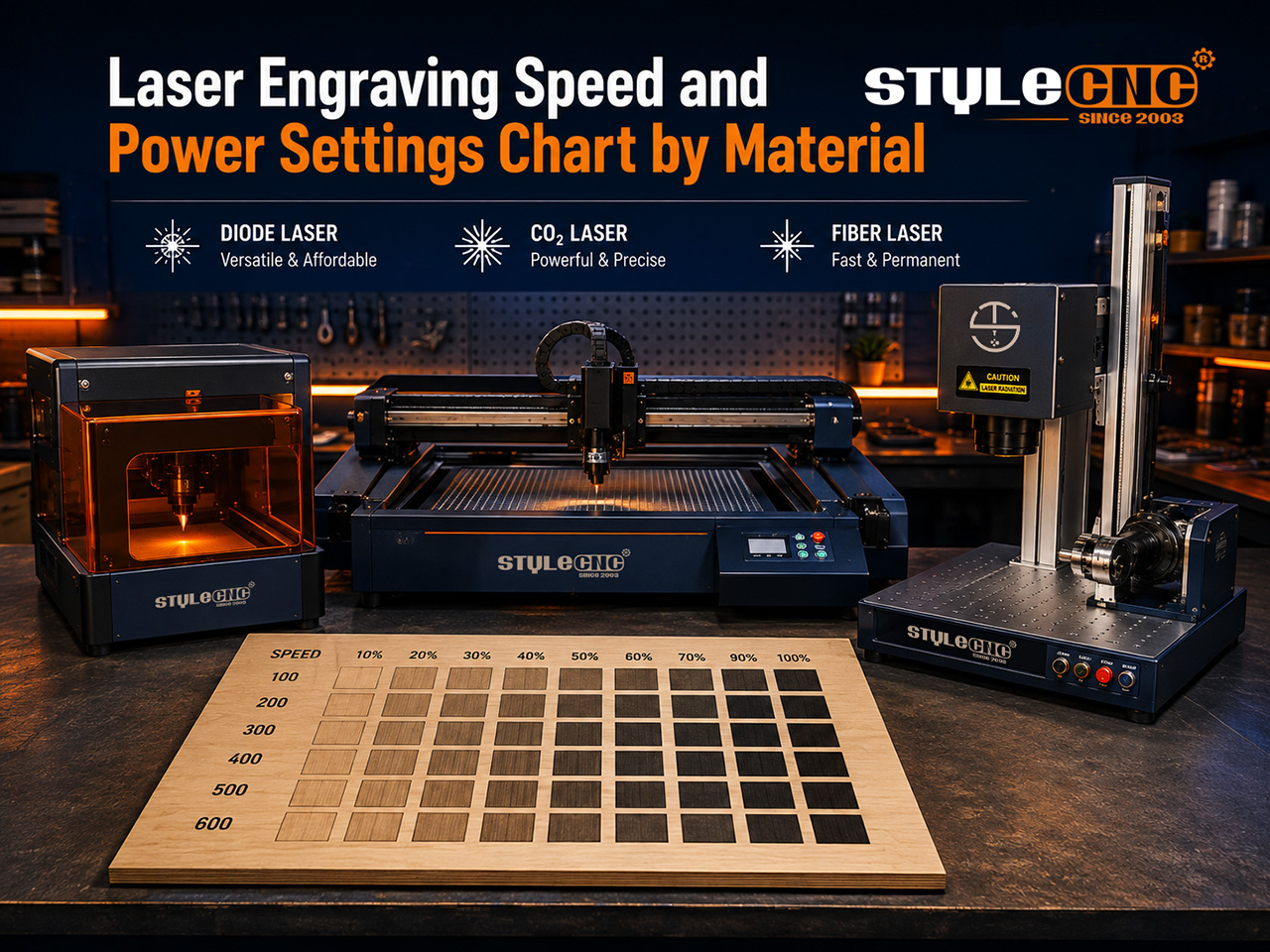
How Speed and Power Work Together
Every mark comes down to energy per point, which is power divided by speed. Slow the head down and the burn gets darker and deeper; speed it up and the mark turns lighter.
Units are the 1st trap. Diode software usually displays mm/min while most CO2 and fiber controllers use mm/s, so a copied value can land sixty times off target.
Wattage is the 2nd trap. A recipe tuned for a 10W module will scorch on a 20W head at identical numbers, so scale power down in rough proportion before testing. Across the lazer gravür makinesi yelpazesi, that one habit prevents most wasted stock.
Master Settings Chart: Diode vs CO2 vs Fiber
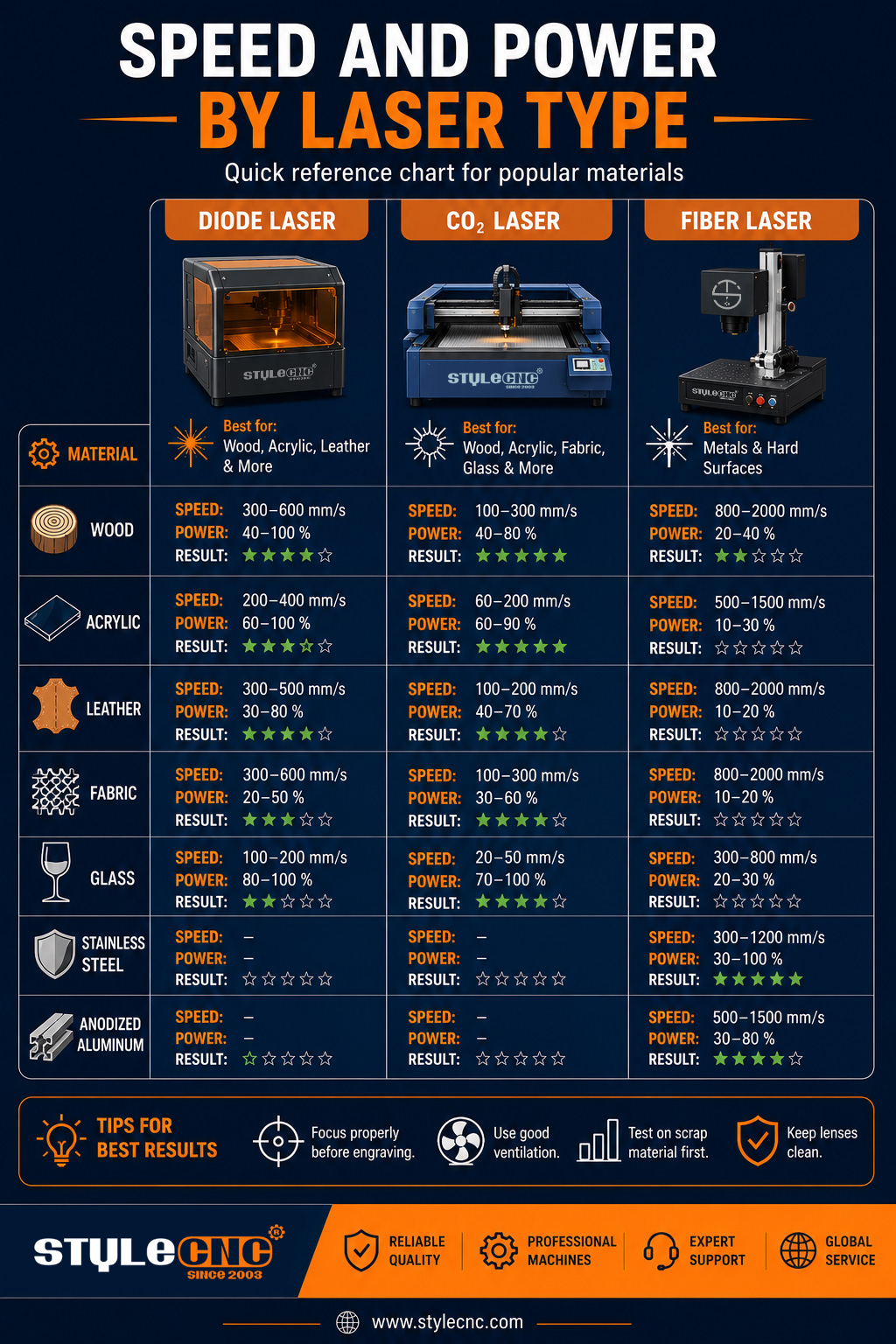
The values below are conservative starting points for 3 common configurations: a 10W diode engraver, an 80W CO2 lazer kesim makinesiVe 50W galve lazer markalama makinesi. Adjust upward only after a clean test result.
| Material and Operation | Diyot Lazeri 10W | CO2 Lazer 80W | fiber Lazer 50W |
| Ölçüm | Speed in mm/min, power in percent | Speed in mm/s, power in percent | Speed in mm/s, power in percent, frequency in kHz |
| Softwood engraving | 5000-6000 at 45-60% | 350-450 at 12-18% | Uygun değil |
| Plywood 3 mm cutting | 250-350 at 95-100%, 2-3 passes | 18-25 at 55-65%, single pass | Uygun değil |
| Hardwood engraving | 3500-4500 at 60-75% | 300-400 at 18-24% | Uygun değil |
| Cast acrylic engraving | 4500-5500 at 35-45%, opaque only | 280-350 at 20-28% | Uygun değil |
| Cast acrylic 5 mm cutting | Not suitable on clear sheet | 10-14 at 70-80%, single pass | Uygun değil |
| Deri oyma | 4000-5000 at 30-40% | 450-550 at 10-15% | Low-power test only |
| Cam gravürü | Uygun değil | 350-450 at 15-20% | Uygun değil |
| Eloksallı alüminyum işaretleme | 2500-3500 at 70-85% | Marking compound required | 700-900 at 30-40%, 25-35 kHz |
| Stainless steel dark marking | Marking paste required | Marking compound required | 300-500 at 40-60%, 40-60 kHz |
| Brass deep engraving | Uygun değil | Uygun değil | 250-350 at 85-100%, 20 kHz, repeated passes |
All values assume clean optics, correct focal height, and air assist on every cutting operation. Treat the entries marked not suitable as wavelength limits rather than power limits.
Key Numbers Worth Remembering
• Diode feed rates typically span 1000 to 6000 mm/min, the slowest of the 3 source types.
• Portal CO2 machines average 300 to 600 mm/s for surface engraving work.
• Galvo heads on fiber lazer markalama makineleri sweep at up to 7000 mm/s.
• Trimming 10 to 15 percent off wood engraving power removes most edge charring with no visible contrast loss.
• 2 light passes usually leave cleaner acrylic edges than one slow, hot pass.
• Industry testing reported by The Fabricator shows compressed air now rivals nitrogen for edge quality on many fiber cutting jobs.
How to Run a Test Grid
Draw a 5 by 5 grid of 10 mm squares. Assign a speed to each row and a power level to each column, covering the range your chart suggests.
Engrave the grid on scrap from the same batch you will produce with. Glue content, moisture, and coating thickness shift results between sheets, so batch scrap is the only honest sample.
Pick the cleanest square and log the machine, material, focus height, and pass count. Popular control software includes a built-in material test generator that automates the whole grid.
Run every test with wavelength-rated eye protection that follows Laser Institute of America guidance, and extract smoke through a filtered fume extractor for laser machines. OSHA's overview of laser hazards is a short, useful read for anyone setting up a new workspace.
Questions Operators Actually Ask
What speed stops 3 mm plywood from charring at the edges?
Keep your cutting speed, drop power 10 to 15 percent, and add a 2nd pass if the cut opens late. Masking tape on the face plus steady air assist removes most remaining scorch.
Yeni ürünüm neden böyle? 20W module burn wood at settings my old 10W sevilen?
Twice the optical power at identical numbers doubles the energy per point. Halve the power figure as a 1st guess, then refine with a quick grid.
Which settings turn stainless steel black instead of grey?
Slow the head down, raise frequency toward 40 to 60 kHz, and defocus slightly so the pulse heats rather than blasts the surface. The difference between MOPA and Q-switched sources explains why pulse control decides the shade.
Common Mistakes That Ruin Settings
• Copying values between different wattages without scaling power first.
• Confusing mm/s with mm/min when moving between controllers.
• Engraving out of focus, which widens the spot and washes out fine detail.
• Using one slow, hot pass where 2 lighter passes would cut cleaner.
• Skipping air assist and letting smoke residue absorb beam energy mid-job.
• Testing on one sheet, then producing on a different batch.
• Defaulting to 100 percent power and shortening tube or diode life.
• Ignoring lens cleaning; a dirty lens can absorb a large share of rated output.
Pre-Engraving Settings Checklist
✓ Confirm which speed unit your controller displays before entering values.
✓ Set focus with the supplied gauge or the machine's auto focus routine.
✓ Scale power to your machine's actual rated wattage.
✓ Run a 25-square test grid on scrap from the production batch.
✓ Switch air assist on for every cutting operation.
✓ Clean the lens and check beam alignment on a weekly schedule.
✓ Log winning values with material, focus height, and pass count.
Sıkça Sorulan Sorular
Why do my results differ from every settings chart I find?
Charts are tuned to a specific machine, lens, and material batch. Your optical power, focus height, and even plywood glue content shift the outcome. Treat any published value as a starting point, then run a small test grid on your own stock before committing to production.
Is 6000 mm/min the same as 100 mm/s?
Yes. Divide mm/min by 60 to get mm/s. Diode software usually displays mm/min while most CO2 and fiber controllers use mm/s, so a value copied without converting runs sixty times too hot or too fast. Always confirm which unit your controller expects first.
Why does the same plywood engrave differently between sheets?
Plywood varies in glue type, core species, and moisture, and each factor changes how much energy the surface absorbs. A sheet stored in a humid shop can need noticeably more power than a dry one. Test scrap from every new batch and log the differences.
Diyot lazer şeffaf akrilik kesebilir mi?
No. The blue diode wavelength passes straight through transparent acrylic instead of being absorbed, so the sheet barely warms. Dark or opaque cast acrylic engraves well, but clear sheet cutting belongs to CO2 machines, whose longer wavelength the material absorbs almost completely.
What frequency should a fiber laser use on stainless steel?
Start between 40 and 60 kHz for a dark, smooth mark and around 20 kHz when you want aggressive material removal. Higher frequencies deliver gentler pulses that heat rather than blast the surface, which is exactly what a clean black finish on stainless needs.
Are several light passes better than one strong pass?
Usually, yes. 2 or 3 lighter passes give heat time to dissipate, which means straighter acrylic edges and less charring on wood. A single slow, hot pass concentrates energy, widens the kerf, and raises the risk of flare-ups on resinous materials.
How much does focus h8 change the outcome?
A beam only reaches its rated intensity at the focal point. Even 1 to 2 mm of error widens the spot, softens detail, and forces you to compensate with extra power. Refocus for every material thickness and after any lens or nozzle change.
Do I need air assist for engraving, or only for cutting?
Cutting always needs it, since airflow clears molten debris and suppresses flames. For engraving, low-pressure air still helps by keeping smoke off the lens and reducing residue staining, though very fine photo work sometimes runs cleaner with the flow turned down.
Why does my engraving fade at high speed?
Speed divides the energy the beam deposits per point. Doubling the feed rate roughly halves the burn, so marks turn pale and patchy once speed outruns power. Either slow down, raise power, or accept the lighter shade if that suits the design.